> For the complete documentation index, see [llms.txt](https://docs.voicestats.xyz/llms.txt). Markdown versions of documentation pages are available by appending `.md` to page URLs; this page is available as [Markdown](https://docs.voicestats.xyz/general/commands/channel-commands.md).
# Channel Commands
### /channel ranking
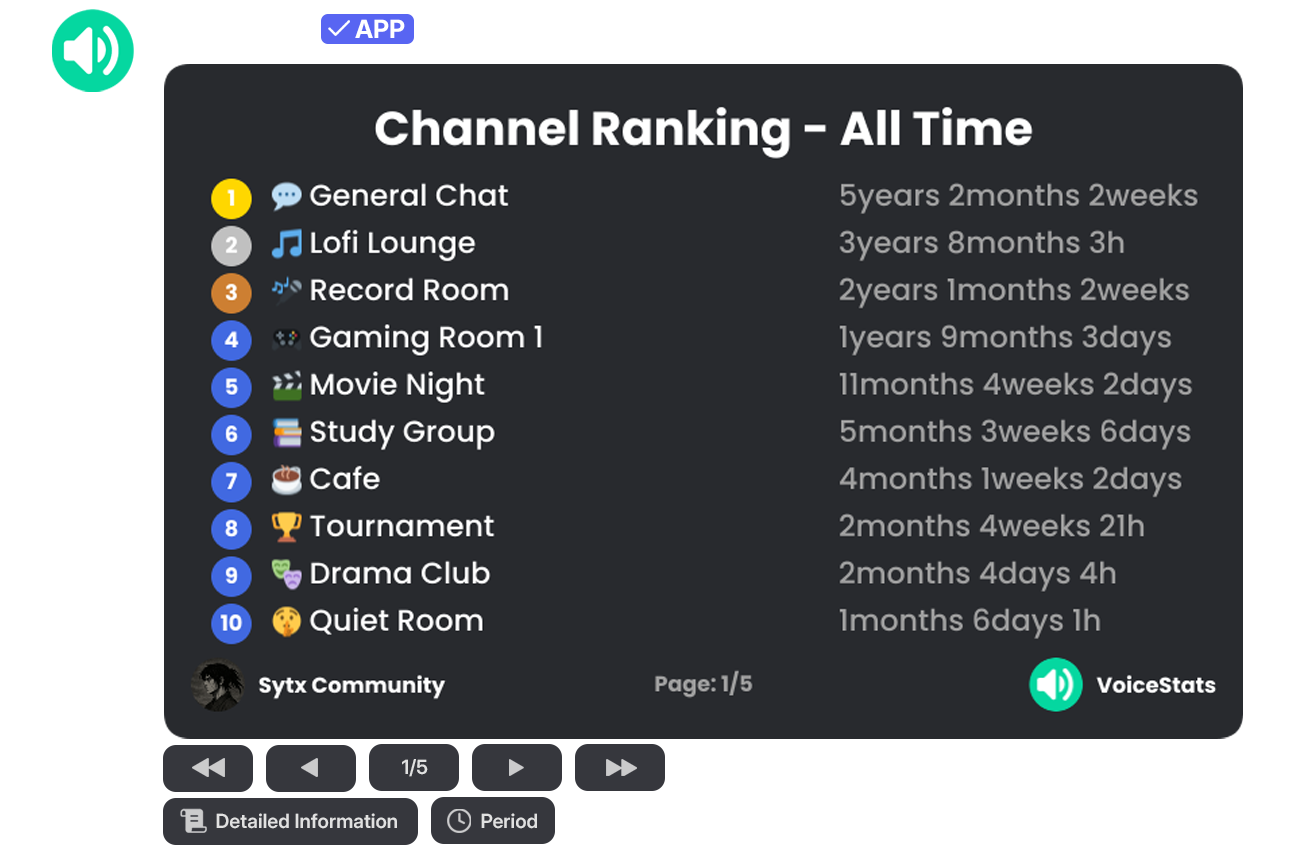
Displays the overall channel leaderboard, ranking the server's voice channels based on their usage duration. Using the buttons located in the command output, you can navigate between pages and filter ranking data by different time periods (Last 1 Days, Last 14 Days, etc.) via the "Period" button.
| Command | Description | Usage | Example Usage |
| ------------------ | ----------------------------------------- | ------------------ | ------------------ |
| `/channel ranking` | View the server's channel voice rankings. | `/channel ranking` | `/channel ranking` |
### /channel stats
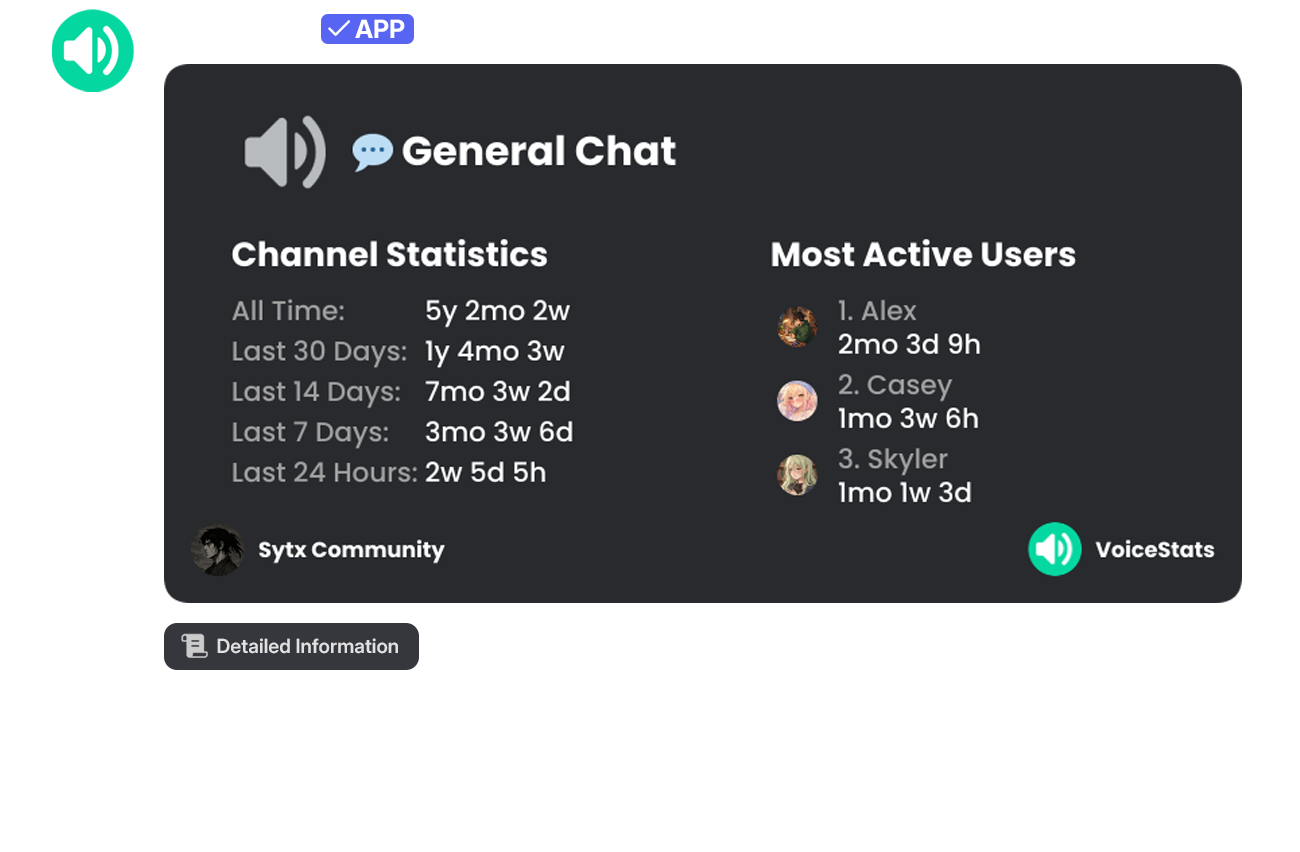
Displays detailed statistics of a specific voice channel and the most active users who spend time in it on a single information card.
| Command | Description | Usage | Example Usage |
| ---------------- | ----------------------------------------- | -------------------------- | ----------------------------------- |
| `/channel stats` | View the server's channel voice rankings. | `/channel stats [channel]` | `/channel stats channel:#"General"` |
Using the buttons located below the command output, data can be filtered and different time periods (Last 1 Days, Last 14 Days, etc.) can be selected.
{% hint style="info" %}
**💎 Info:** The Custom Period filtering feature is exclusive to Premium servers.
{% endhint %}