> For the complete documentation index, see [llms.txt](https://docs.voicestats.xyz/llms.txt). Markdown versions of documentation pages are available by appending `.md` to page URLs; this page is available as [Markdown](https://docs.voicestats.xyz/general/commands/user-commands.md).

# User Commands

### /user stats and /my stats

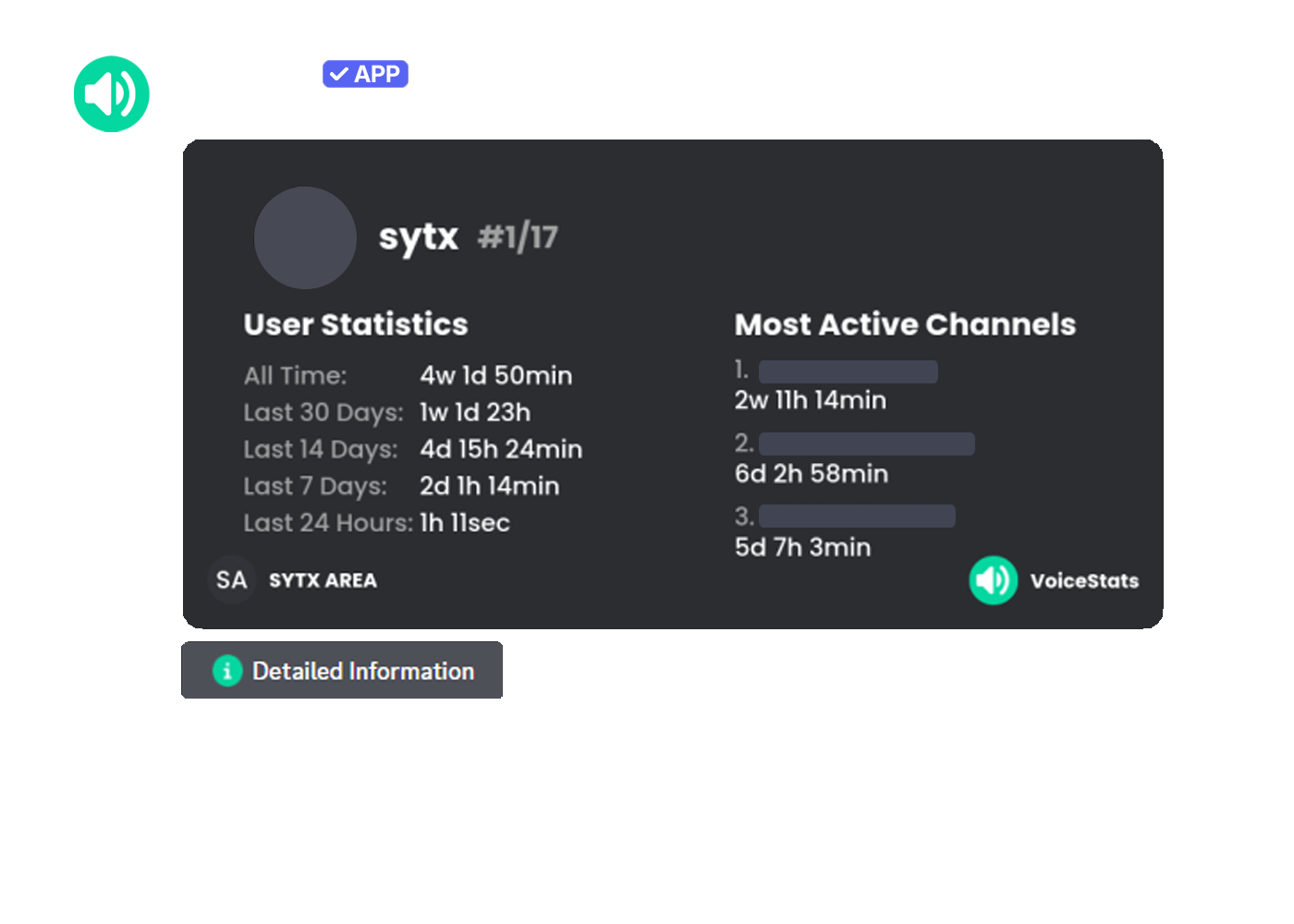
View your voice statistics or the voice statistics of a specific user. The statistics card includes information such as total time, activity in the last 30 days, and the most active channels.

| Command       | Description                                   | Usage                | Example Usage            |
| ------------- | --------------------------------------------- | -------------------- | ------------------------ |
| `/user stats` | View the voice statistics of a specific user. | `/user stats [user]` | `/user stats user:@sytx` |
| `/my stats`   | View your voice statistics.                   | `/my stats`          | `/my stats`              |

<figure><img src="https://voicestats.xyz/assets/images/features/user-stats.png" alt=""><figcaption></figcaption></figure>

### /user chart and /my chart

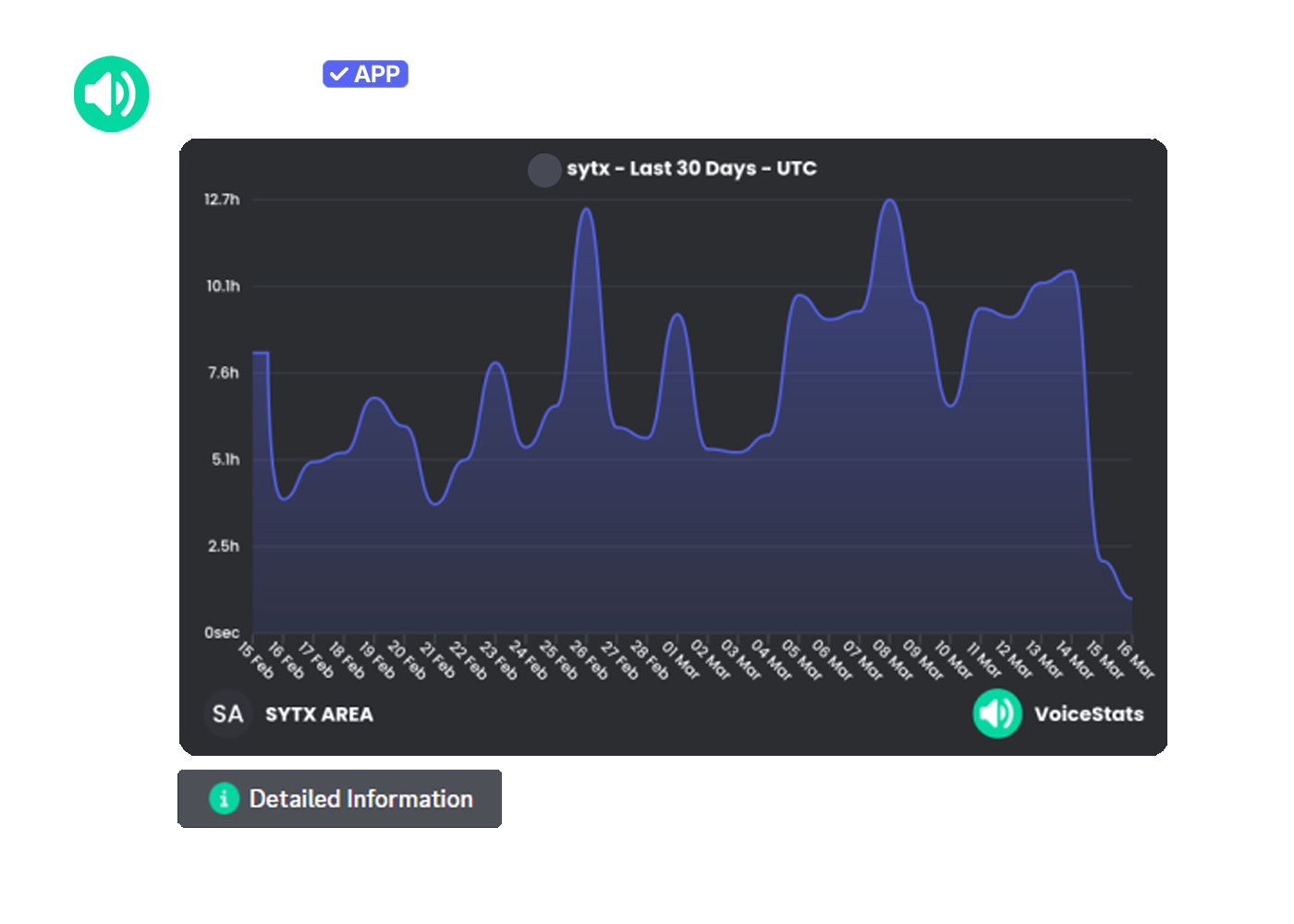
These commands display your voice statistics or a specific user's voice statistics as a chart based on the selected period. This allows you to examine the fluctuations in daily voice activity on a visual chart.

| Command       | Description                            | Usage                | Example Usage            |
| ------------- | -------------------------------------- | -------------------- | ------------------------ |
| `/user chart` | View a user's voice statistics.        | `/user chart [user]` | `/user chart user:@sytx` |
| `/my chart`   | View your voice statistics as a chart. | `/my chart`          | `/my chart`              |

<figure><img src="https://voicestats.xyz/assets/images/features/user-chart.png" alt=""><figcaption></figcaption></figure>

### /message stats and /message chart

`/message stats` shows a member's total and recent message activity, server rank, and most active days. `/message chart` displays that member's counted messages over the selected period. The optional `user` choice lets you view another member.

| Command          | Description                             | Usage                   |
| ---------------- | --------------------------------------- | ----------------------- |
| `/message stats` | View a member's message statistics.     | `/message stats [user]` |
| `/message chart` | View a member's message activity chart. | `/message chart [user]` |

<figure><img src="https://voicestats.xyz/assets/images/features/message-stats.png" alt=""><figcaption></figcaption></figure>

Using the buttons located below the command output, data can be filtered and different time periods (Last 1 Days, Last 14 Days, Last 30 Days, Custom Period) can be selected.

<figure><img src="https://cdn.voicestats.xyz/images/features/chart-periods.png" alt=""><figcaption></figcaption></figure>

{% hint style="success" %}
All-time totals in user and message stats are free. Chart commands do not offer an all-time view.
{% endhint %}

{% hint style="info" %}
**💎 Info:** The Custom Period filtering feature is exclusive to Premium servers.
{% endhint %}